news
bellcrank Student Case Study Challenge 2026/27
Overview
Formula Student and Baja SAE teams get 9 weeks of free bellcrank Student Teams access to solve one real suspension design question on their car. The best case studies win a full year of bellcrank and are published on bellcrank.io.
bellcrank is a browser-based suspension kinematics and static loads solver: hardpoints in, roll center, anti-geometry, bump steer and joint loads out, on a 2- or 7-post rig. No install, no license server.
Why join: pro-grade tooling for your design season, a published case study for your sponsor deck and CVs, and a chance to have bellcrank on your car as a sponsor.
Timeline
Access runs 9 weeks, from 2026-10-05 to 2026-12-06. Submissions close 2026-11-29.
| Milestone | Date |
|---|---|
| Registration opens | 2026-09-27 |
| Registration closes | 2026-10-04 |
| Licenses granted, access starts | 2026-10-05 |
| Case study submission deadline (last day to upload your ZIP), 23:59 CET | 2026-11-29 |
| Access ends | 2026-12-06 |
| Winners announced | 2027-01-15 |
Who can enter
Every registered team that meets the rules below takes part; there is no cap on the number of teams.
- Registered Formula Student, FSAE or Baja SAE teams (combustion, electric, or driverless).
- The team exists in bellcrank as a Student Team that bellcrank has approved — or already pays for a bellcrank subscription.
- The team works on a real car: current season, previous season, or a concept for next season.
- One entry per team.
Already a paying customer? Your team can take part with its current subscription. If you win, we extend your current subscription by 12 months instead of issuing a new license.
What you get
Every registered team gets 9 weeks of the full Student Teams plan free; the top three win a comped 1-year license.
During the challenge (all registered teams)
- Student Teams plan: 3 seats, 200 credits per seat per month, all 16 templates, all result channels.
- CSV and IGES export, comparisons, full revision history, REST API.
- Direct support from the bellcrank team by e-mail.
Prizes
| Place | Prize |
|---|---|
| 1st | Comped 1-year Student Teams license, 2 extra seats, case study published on bellcrank.io |
| 2nd | Comped 1-year Student Teams license, case study published on bellcrank.io |
| 3rd | Comped 1-year Student Teams license, case study published on bellcrank.io |
| Every complete submission | Certificate of participation by bellcrank |
For teams that already pay, the prize is a 12-month extension of their current subscription.
To receive the prize, a winning team must accept and approve the blog post bellcrank writes about its case study and the “designed with bellcrank” car sticker. The comped license (or extension) is granted once both are approved. Sticker size is 15 cm x 5 cm, must be printed by the team. Exact design will be shared later.
After the 9 weeks, teams without a prize move to the permanent free tier. Paid-template assets stay viewable; editing and export need a paid plan.
The task
Pick one design question on your car, answer it with bellcrank, and show what changed in your design because of it.
Example questions:
- How far does the front roll center migrate in roll, and does our current geometry keep it acceptable?
- Can we reduce bump steer below a target without moving the rack?
- Which pushrod/bellcrank layout gives the motion ratio we want across wheel travel?
- What anti-dive and anti-squat do we actually have, and what should we change?
- What are the peak joint loads on the upper wishbone under our braking and cornering load cases?
Your case study must follow this structure:
- The car and the problem. Car, class, season, suspension topology. The question and why it matters for lap time, reliability, or driver feel.
- The model. How you built it in bellcrank: templates, hardpoints (real, or anonymized/scaled if confidential), rig, motions, and load cases.
- Baseline results. The relevant channels for the current design, with plots and 3D views.
- Iterations. What you changed, and a comparison of baseline vs. new design using bellcrank’s comparison view.
- Validation. Check at least one result against something independent: measured data, hand calculation, another tool, or published values.
- Decision. What the team will build or change, and the expected effect.
- Workflow. How bellcrank fit into your process: time saved, what worked, what was missing.
Deliverables and format
One ZIP package, uploaded through the submission MS Form. It MUST be submitted no later than the last day, 2026-11-29, 23:59 CET.
The ZIP contains:
- Case study PDF: 4–8 pages, in English, following the structure above.
- Summary: max. 200 words, written for a website reader.
- Visuals: at least 3 screenshots from bellcrank (plots and 3D view); optional 30–60 s screen recording.
- Team logo: high resolution, PNG or SVG. Optional: a team photo with the car.
- Quote: 1–2 sentences on bellcrank from the team lead, with name and role.
Keep the bellcrank project in your team space so results can be checked. It stays private.
Judging
bellcrank scores each complete submission out of 100; the decision is final.
| Criterion | What we look for | Points |
|---|---|---|
| Engineering rigor | Correct model, sound assumptions, results interpreted correctly | 30 |
| Design impact | A clear decision that changes the car | 25 |
| Validation | Results checked against an independent source | 20 |
| Clarity | Readable by an engineer outside the team, good visuals | 15 |
| Use of bellcrank | Comparisons, load cases, revisions, 7-post rig or API where they fit | 10 |
Incomplete or late submissions are not scored. bellcrank may award fewer than three prizes if quality is too low.
Rights, confidentiality, and terms
Your team keeps ownership of its work; bellcrank gets the right to publish it.
- By submitting, the team grants Bellcrank UG (haftungsbeschränkt) a non-exclusive, worldwide, royalty-free, perpetual right to publish, edit, shorten, translate, and reuse the case study, visuals, team name, logo, and quote for marketing.
- Confidential hardpoints may be anonymized or scaled. bellcrank never publishes raw project data without written approval.
- bellcrank sends the final published version (including the blog post) to the team for a fact check and approval before it goes live.
- Participants confirm they have the right to share all submitted material, including any sponsor-related content.
How to apply
- Create your Student Team in bellcrank and wait for approval (see “How to create a student team” below). Paying teams skip this step.
- The team owner submits the registration MS Form (link on this page) by 2026-10-04.
Questions go to the bellcrank contact page.
How to create a student team
-
Sign up with your university e-mail. Sign up for bellcrank (or sign in) with your university e-mail address. Every teammate you invite later must have an address on the same domain.
-
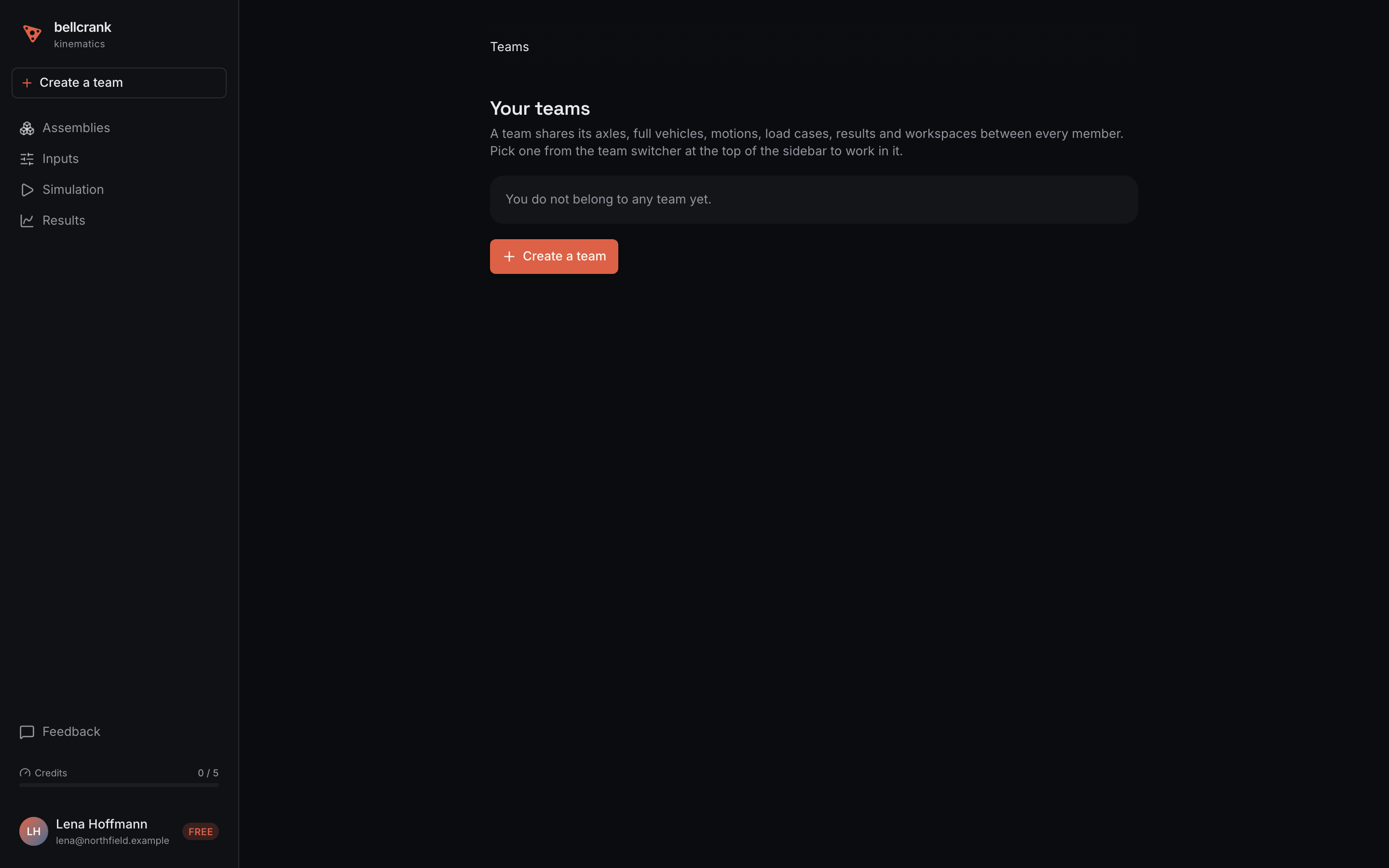
Open “Create a team”. Click “Create a team” at the top of the sidebar. If you already belong to a team, open the team switcher at the top of the sidebar, choose “Exit team context”, open the switcher again, and choose “Create a team”.
-
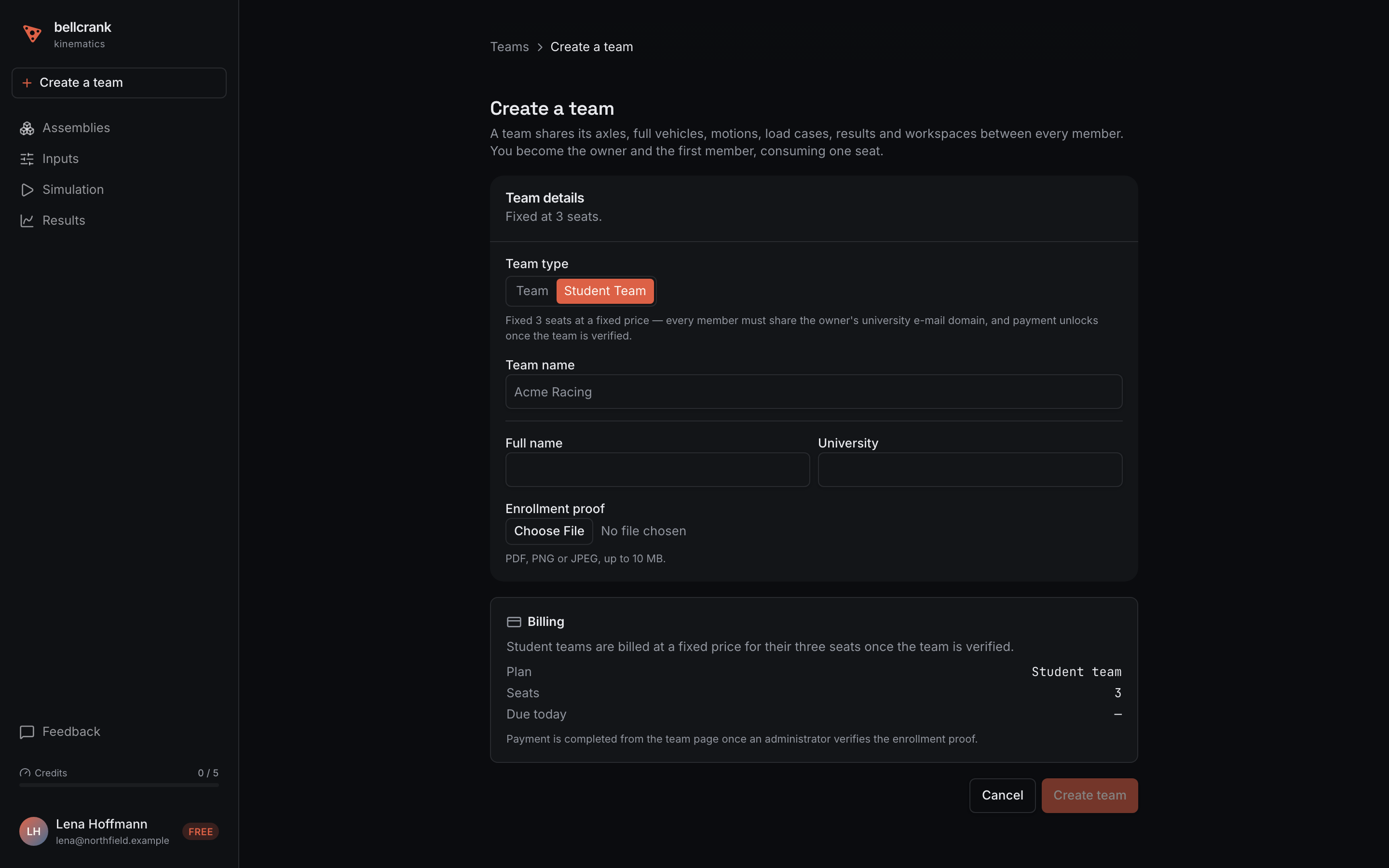
Select “Student Team”. On the “Create a team” page, under “Team type” in the “Team details” card, select “Student Team”. The fields “Full name”, “University” and “Enrollment proof” appear, and the “Billing” card shows Plan “Student team” with 3 seats. Nothing is charged at this point.
-
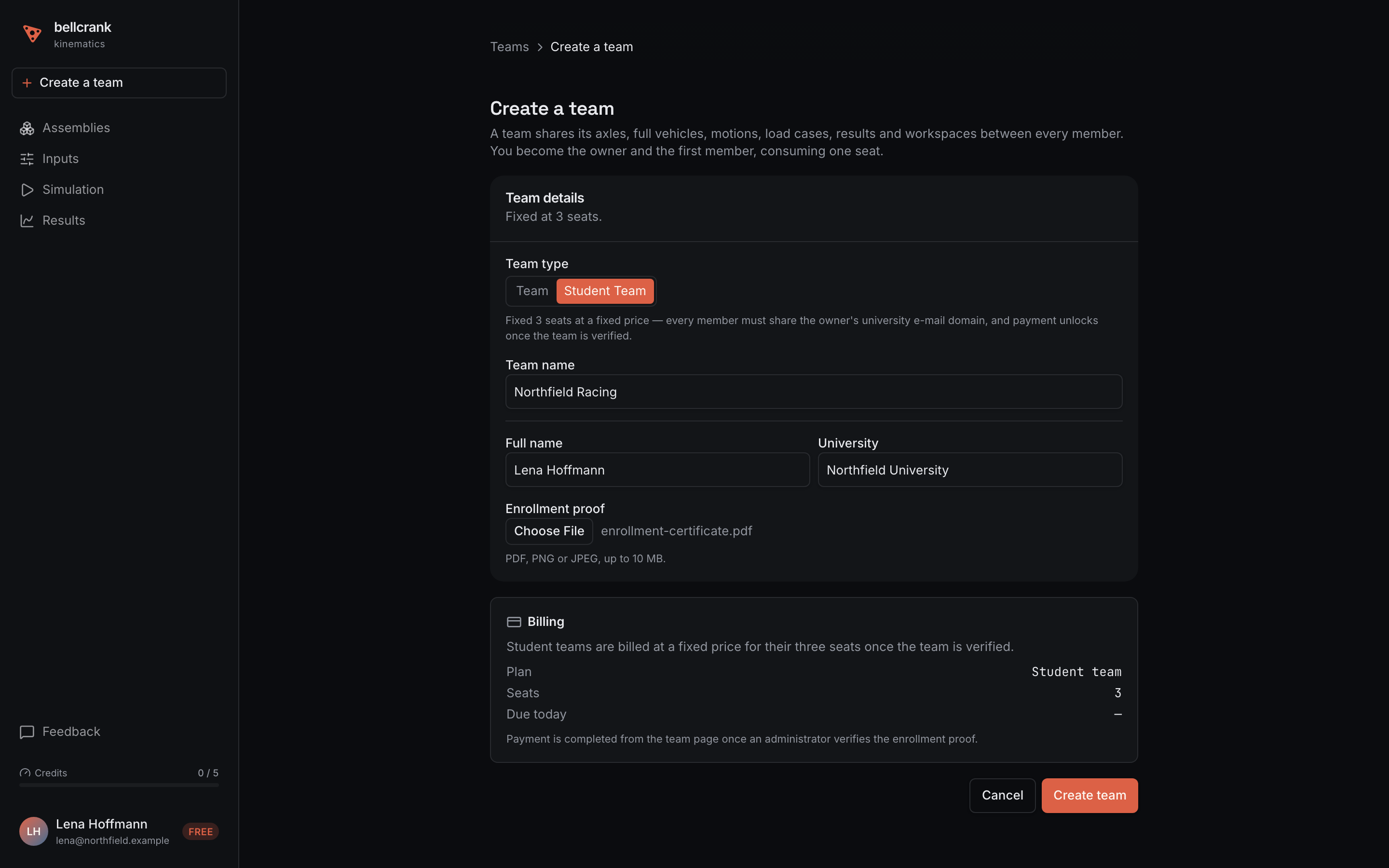
Fill in the details and submit. Enter the “Team name”, your “Full name” as it appears on your proof, and your “University”. Under “Enrollment proof”, click “Choose File” and upload a PDF, PNG, or JPEG of up to 10 MB. Click “Create team” (it stays disabled until all four fields are filled in). If you already have a student team in review, you’ll see a notice that it “is still under review” and can’t submit another one.
-
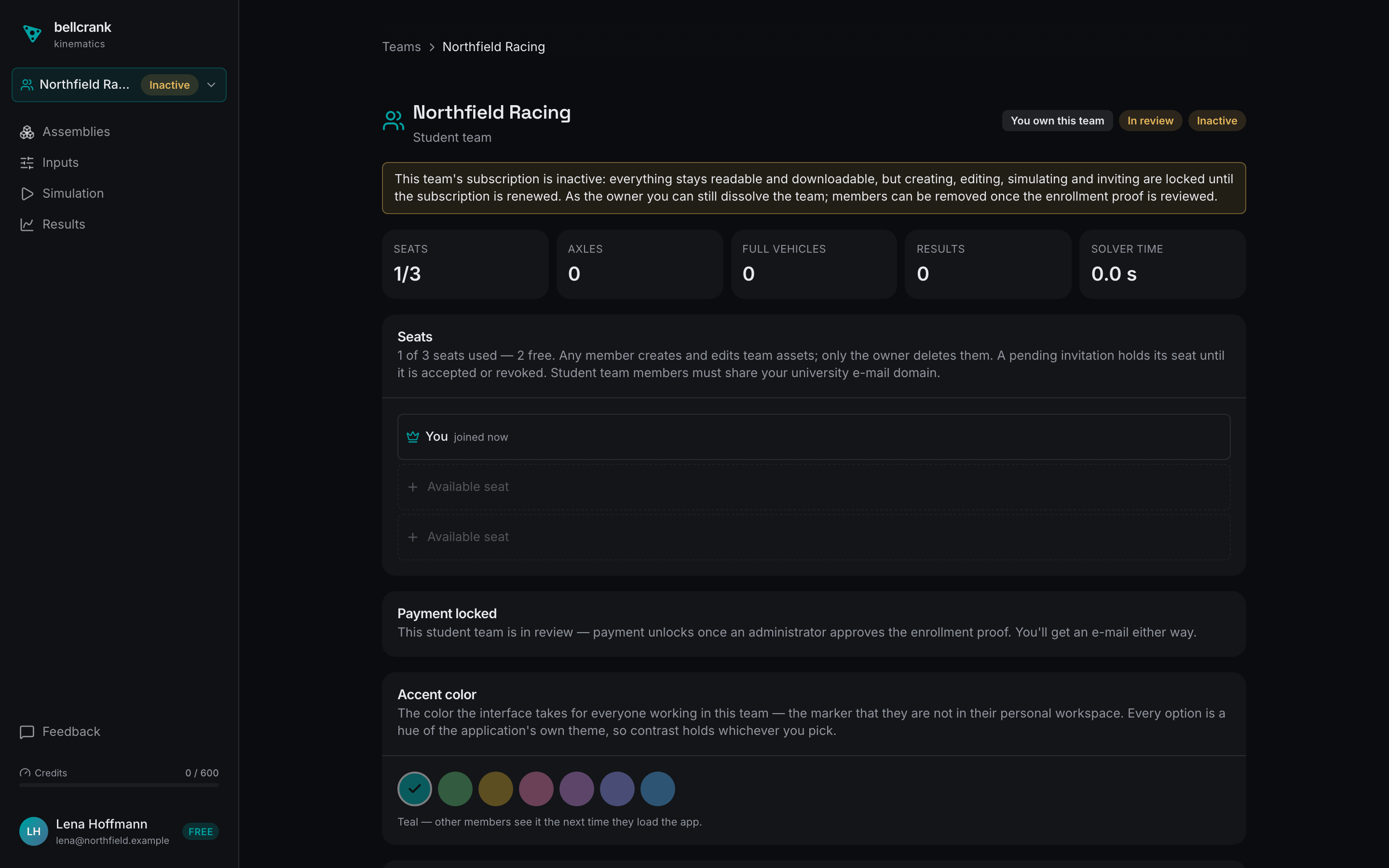
Wait for the review. You land on your team’s page, marked “Student team” with the badges “In review” and “Inactive” and a “Payment locked” card. The team stays read-only while a bellcrank administrator reviews your proof. You get an e-mail with the result; if the request is denied, the e-mail gives the reason, the team is dissolved, and you can apply again.
-
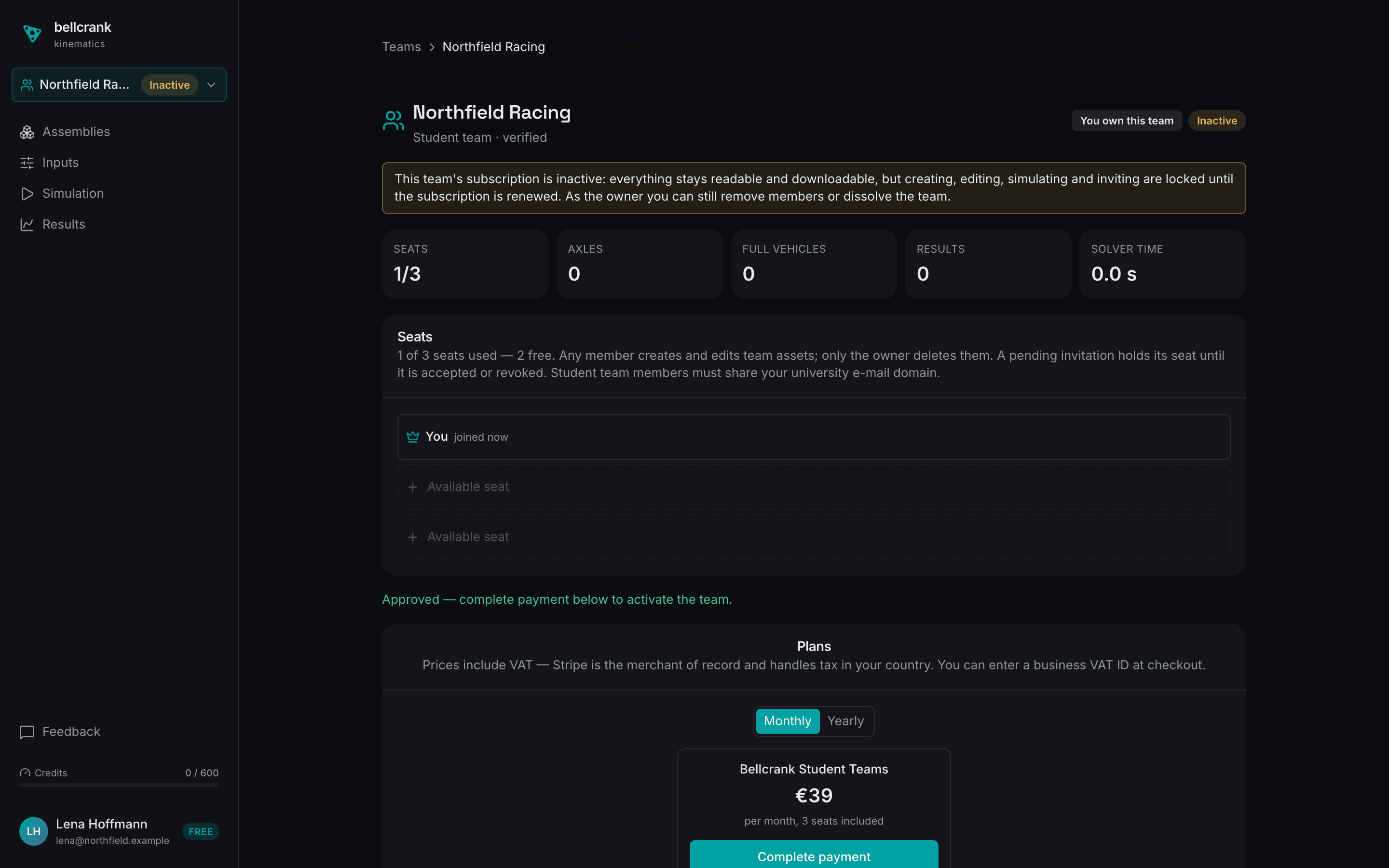
Open the approved team. When the approval e-mail arrives (“<your team> is verified on Bellcrank”), click “Open the team page” (or select the team in the sidebar switcher, click your name at the bottom of the sidebar and choose “Team Dashboard”). The header reads “Student team · verified” and the page shows “Approved — complete payment below to activate the team.” Your team is now approved and can register for the challenge (see “How to apply”).
-
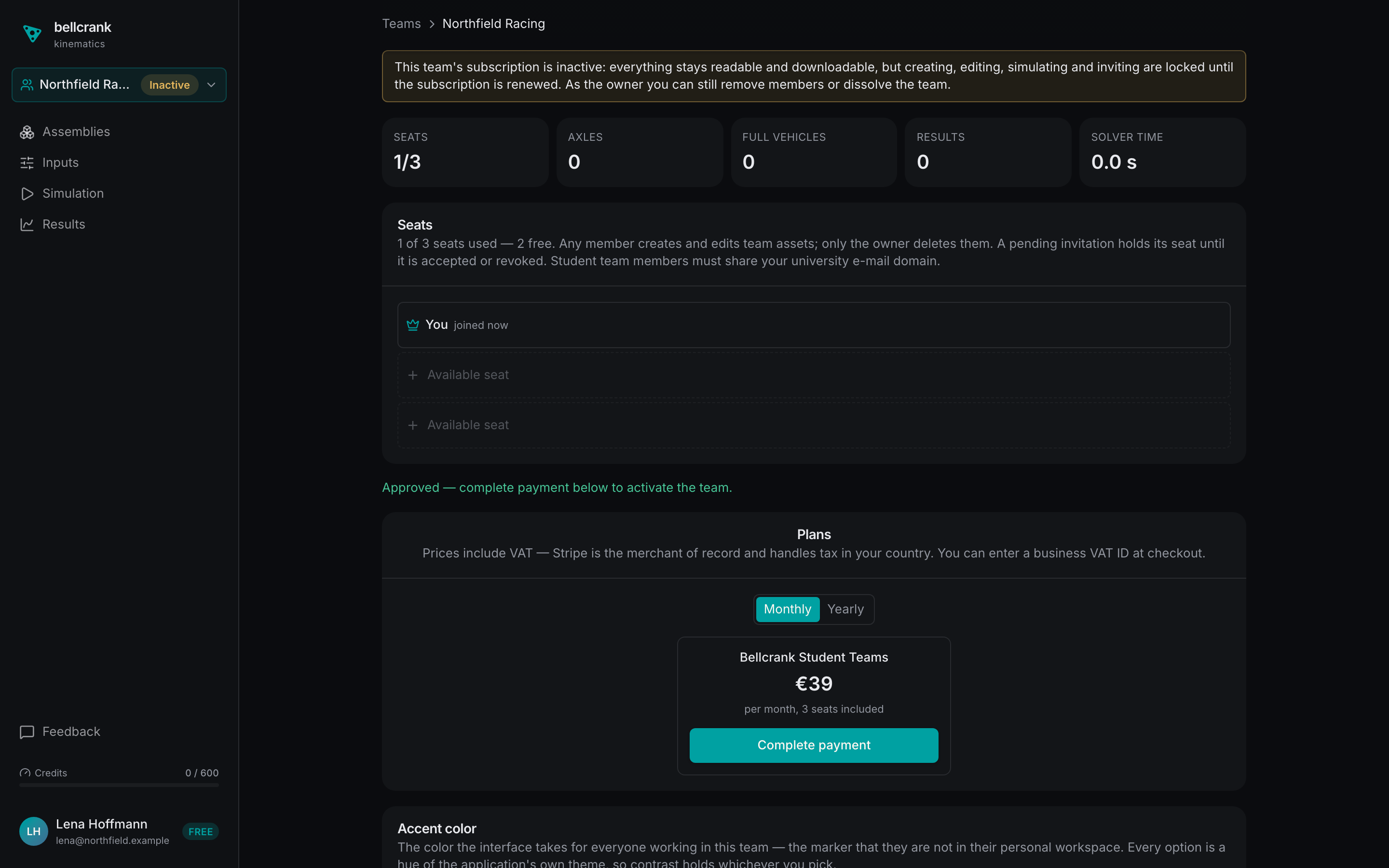
Activate the team. Registered teams don’t pay: bellcrank activates the Student Teams plan for free for the 9 weeks. Outside the challenge, choose “Monthly” or “Yearly” under “Plans”, click “Complete payment” and finish checkout in the Stripe tab that opens.
-
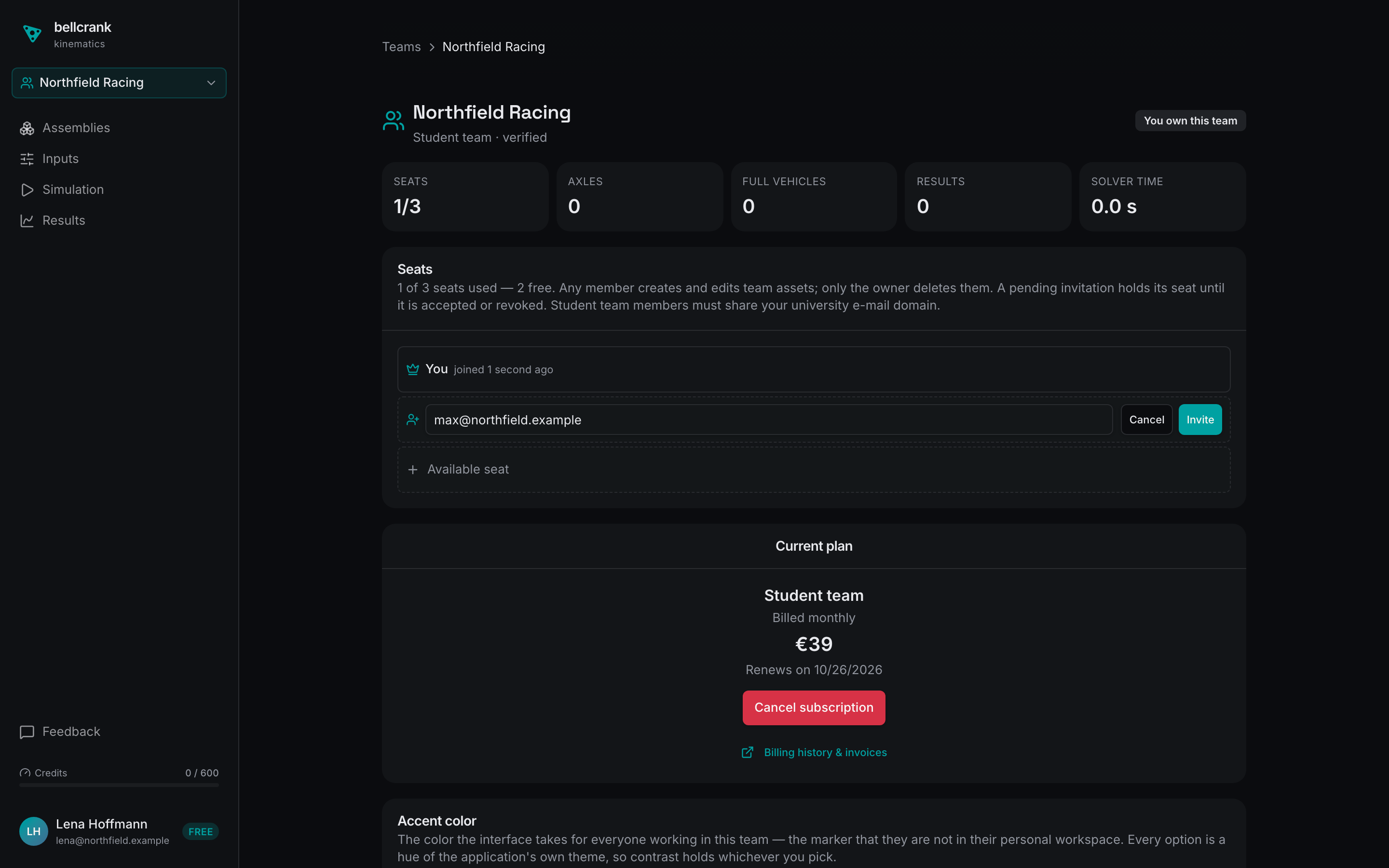
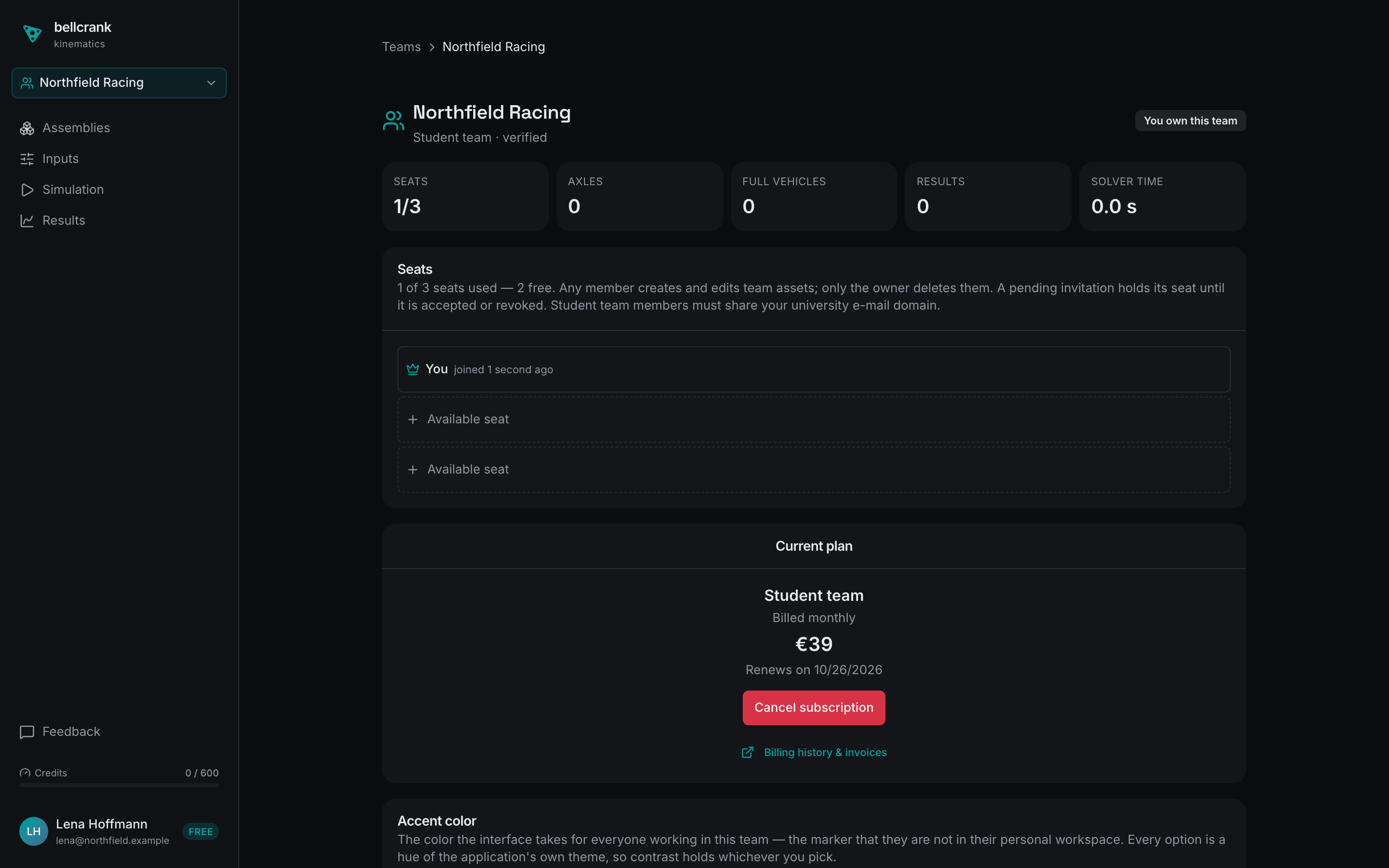
Team active. Once active, the “Inactive” badge disappears and “Current plan” is shown.
-
Invite your teammates. In the “Seats” card, click “Available seat”, enter a teammate’s university e-mail and click “Invite” (or use “Copy invite link”). Inviting is available once the team is active.